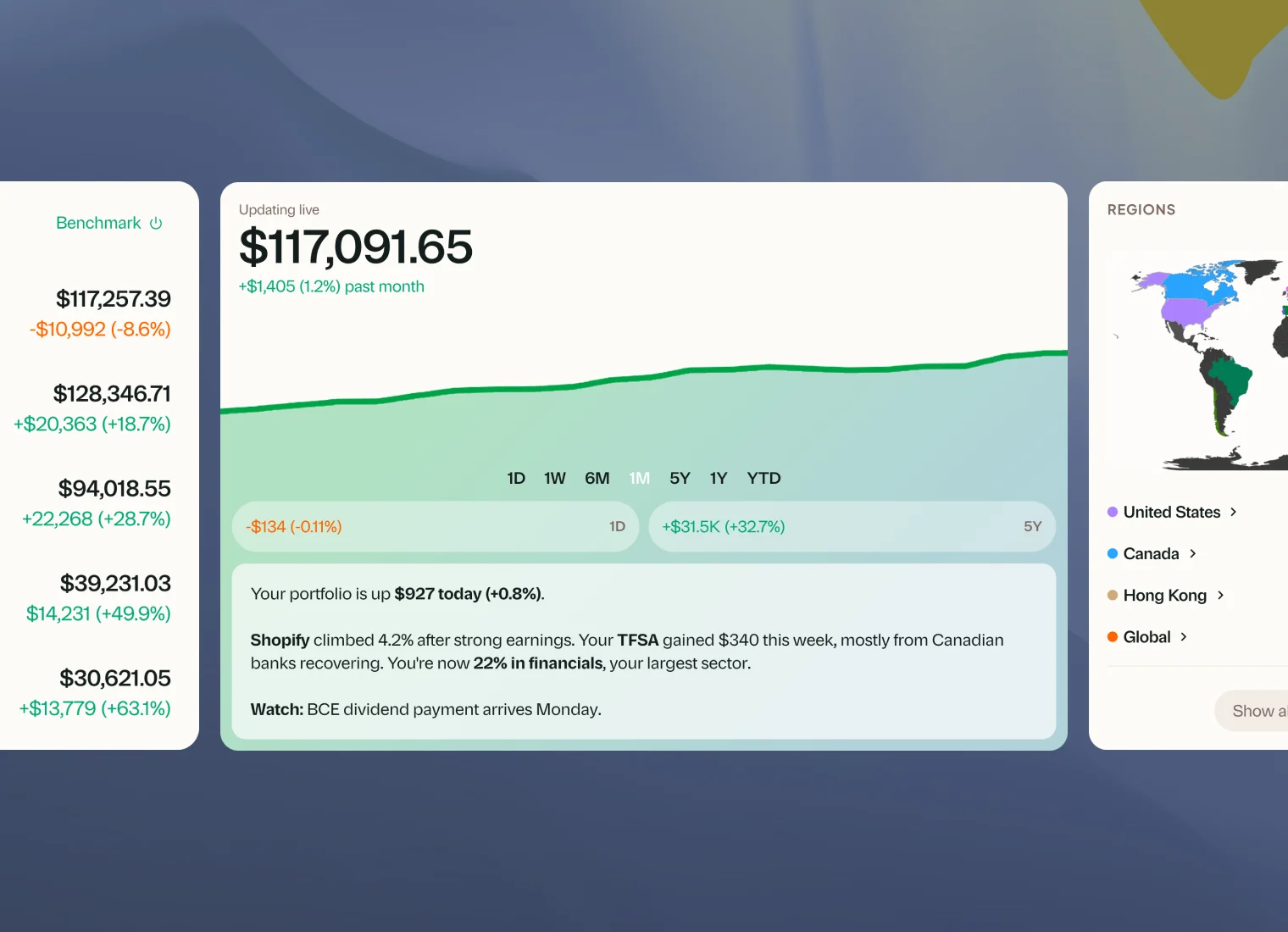
Changelog
Greenline is built by a small team, and we're always improving it. This page exists so you can see that for yourself. Every feature, improvement, and milestone, as it happens.
Looking for the big launches with context and screenshots? Head to the product blog.
Remember your commission
When you log a buy or sell with a different commission than usual, tick “Use $X for future trades in this account” and Greenline fills it in next time. If you change an account’s brokerage, the account now takes the new brokerage’s commission.
A smoother onboarding
Each setup step slides in from the direction you’re going, and the progress bar shows which of the four steps you’re on. On phones, the main button stays pinned to the bottom of the screen, and you can sign out partway through setup.
Better suggested questions for Grant
The questions suggested under your daily summary now stick to what Grant can answer from today’s numbers, so tapping one gets you a real answer. The three suggestions also cover different topics.
A fresh look for your Watchlist
The Watchlist card has a cleaner design. Adding a stock opens a search right in the card, every stock links to its own page, and price alerts show as a simple bell.
Another round of fixes
Tapping a milestone notification now opens the holding it names. Some portfolios with cash, margin, or funds in another currency were getting an “all-time high” alert almost every day, and that’s fixed. Number fields accept a comma as the decimal mark, Greenline warns you before you log a sale in a currency that doesn’t hold the shares, and the Fund Library gained 235 more BMO funds.
Holdings and group shortcuts
The Holdings page now has the same Log a transaction button as your account pages, with uploads one tap away. A group’s menu also lets you add a holding, edit the group, or ungroup it.
Summaries that say when they're from
Each summary now opens with its check-in and time, like “First check-in, 8:31 AM” or “Today’s wrap-up”, so a midday update never reads like the end-of-day recap. Summaries also dig deeper into the news, so they can more often tell you why a holding moved. Weekly and monthly emails now end with a key that puts each stock’s name beside its ticker.
Filter by account
The Holdings and Allocations pages now have an account picker, so you can look at one account, one account type, or any mix of accounts. Your choice stays in the page link, so a bookmarked or shared link opens the same view.
Easier imports, and 11 more funds
When you update an account by import, the file goes into the account you started from, even if you have two similar accounts at the same brokerage. The statement guide opens right on the import screen, and we added 11 funds from NEI, Mackenzie, and BMO.
Goals as a line, donut, or bar
Choose how each goal looks on the Goals card: a line that traces your path to the target date, a donut, or a bar. If you have one goal, it fills the whole card and shows today’s balance, your target date, and where you’re projected to land.
Holding groups open in one tap
On your phone, tapping a holding group opens a panel that lists its holdings. Tap any holding to see its actions, then tap Back to return to the group.
Your real top sector and region
If your largest position is an ETF, At a Glance used to list “ETF” as your top sector and region. It now looks inside your funds and names what you hold the most of, matching the Sectors and Regions cards.
Name your brokerage, and a new Account box
Pick Other when you add or edit an account and type your brokerage’s name, even if it isn’t on our list. Each account page also has an Account box beside the chart with the brokerage, account type, holdings, and cash, plus editing and logging in one place.
Faster, more accurate summaries
Your daily, midday, weekly, and monthly summaries now run on a faster system, so they arrive on time even on busy market days. They also stop calling a losing holding your biggest gainer, and they blend your funds into their real sectors instead of listing “ETFs”.
Imports recognize more of what you hold
When you import a statement, Greenline now recognizes more stocks and ETFs by name, and it matches mutual funds to the Fund Library for you. Fewer holdings need to be matched by hand, and you can still change any match during review.
A round of fixes
Closing prices no longer go missing when the price source is slow, and holding alerts now go out while the market is open. We also fixed logos that showed the wrong company, kept the phone keyboard from covering forms, added a Done button above the iPhone keyboard, and made the market status name the right day in your time zone.
Holdings in their own currency
The Holdings card now follows your currency display setting, so a US stock can show its value in US dollars instead of always being converted.
Smoother account charts
Switching periods on an account page now glides the chart into the new range, the same way the Today page does. Account pages also follow your plan’s history window, so the periods match what you see on Today.
Quick actions on your holdings
Every holding now has its own actions menu, so you can log a trade, update a target, move a holding, or add it to your watchlist right from the row. On your phone, tap a holding to open a quick view with the same actions and a price chart.
A refreshed import page
A banner tells you when a statement is waiting for your review, a shelf shows your latest uploads, and the header names the account and lets you switch import methods in one click. Screenshot uploads come with a short checklist of what a good screenshot shows.
Attach screenshots when you message us
When you message the Greenline team from Help, you can now add up to five screenshots, or paste one straight in. It helps us see the problem and fix it faster.
Give a stock a nickname
Can’t remember what a ticker stands for? Open a holding’s Manage menu and give the stock a name you’ll recognize. The nickname shows wherever your holdings appear, and searching by the official name still finds it.
Your position on every stock page
A stock’s page now has a Your position card that shows which accounts hold it, its nickname, its group, and your watchlist target, each one tap from editing. Expand a holding on the Holdings page to see your average cost in each account.
Other (Registered) accounts
Track a pension plan, an employer plan, or any registered account that isn’t on our list with the new Other (Registered) account type.
Record a stock split
When a company splits its shares, enter the ratio and Greenline shows every record it will change in each account before you confirm, so your history stays accurate.
A rebuilt mutual funds page
See every fund you own in one sortable table, along with the accounts that hold it. Update values for all your funds in one pass, and enter amounts as totals or per unit.
Paste a screenshot to import it
Copy a screenshot of your brokerage account and paste it straight into Greenline, including on iPhone. No need to save it to your photos first.
Weekly and twice-monthly dividends
Funds that pay weekly or twice a month now show the right upcoming dividends, and forecasts no longer spill past the period you’re looking at.
Sort your holdings on your phone
Sorting your holdings now works on your phone too, on the Holdings page and on each account’s page. Greenline remembers how you like them sorted.
Whole dollars by default
Amounts across Greenline now show in whole dollars, so the numbers are easier to scan. Cents stay on stock prices, transactions, and anything under a dollar. Prefer them everywhere? Switch them back on in settings.
See your accounts by name
The Accounts card on Today can now list each account by name, not just grouped by type, with its own small chart and return for the period you’re looking at.
Edit accounts and holdings, plus LIF accounts
Rename an account, change its type, or fix a holding that came in wrong. You can also add LIF accounts, switch allocation charts between dollars and percentages, and see blended region and sector charts that look inside your ETFs.
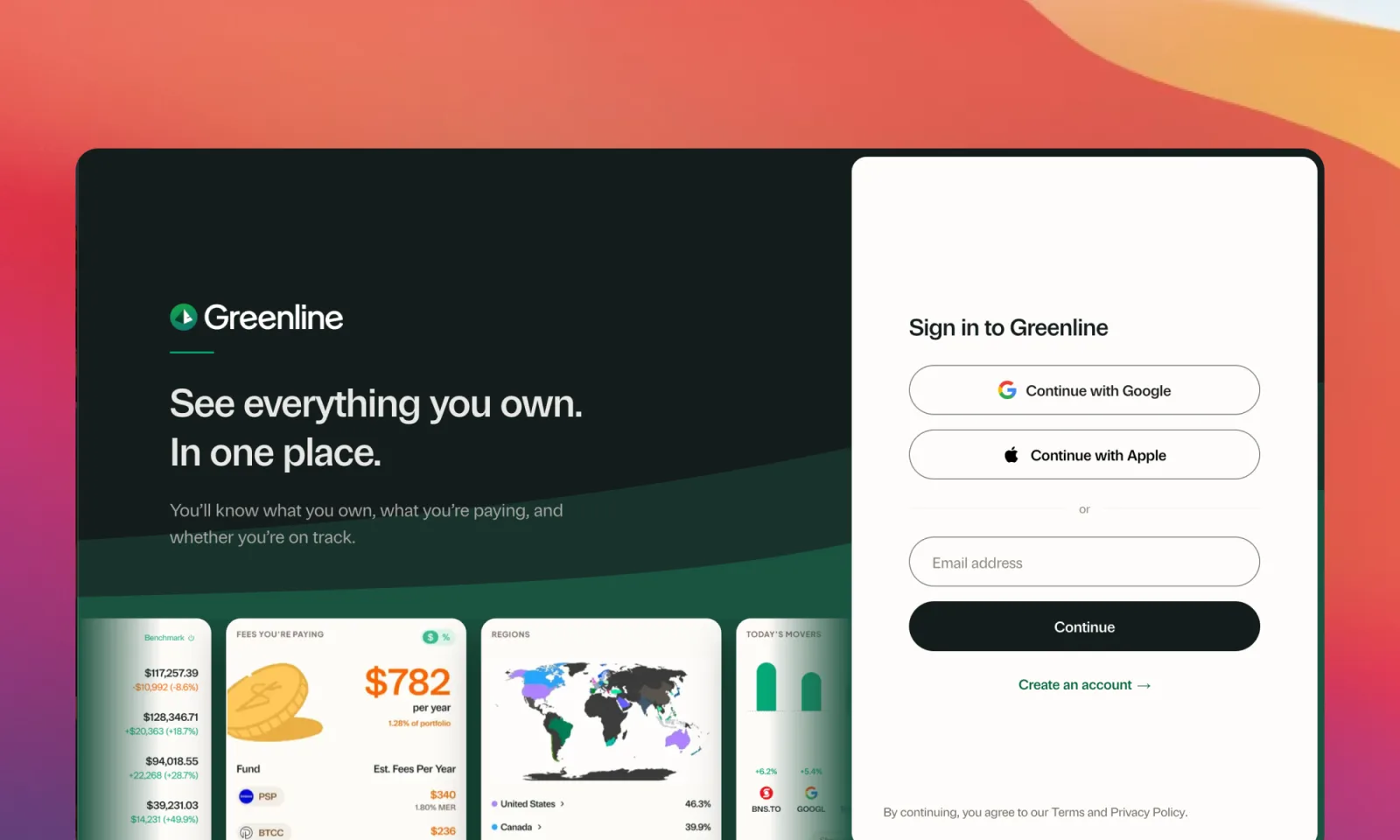
Sign in with any email
Sign in with any email address, not just Google or Apple. We’ll send you a code, and you’re in.
Fix an import yourself
When a holding comes in wrong, like the wrong exchange, the wrong currency, or a stock that wasn’t recognised, you can now match it to the right one yourself before it lands in your portfolio. Statements with more than one account also bring in every account, reviewed one at a time.
The Import Hub
One place to update every account. Tap Import along the top to bring in a statement, screenshot, or CSV without leaving the page, see which accounts are ready for their next update, and look back at what you’ve brought in.
A new Help section, with short guided tours
Help now has its own home along the top. Message the Greenline team, or choose Show me how to for a short walkthrough, from deleting a holding and updating cash to editing an account.
More accurate weekly and monthly summaries
Your weekly and monthly summaries could describe a gain from several years as if it happened this week. Fixed. Each summary now sticks to the period it covers.
Dividend goals that use your real yield
Dividend goals used to assume a flat 3% yield. Now you can choose your own, or use what your holdings actually pay, so your goal reflects your portfolio.
More accurate gains after partial sells
If you had sold part of a position, the unrealized gain on what you still hold could be calculated against your full original cost instead of just the shares remaining. Fixed. Your numbers now reflect exactly what you hold today.
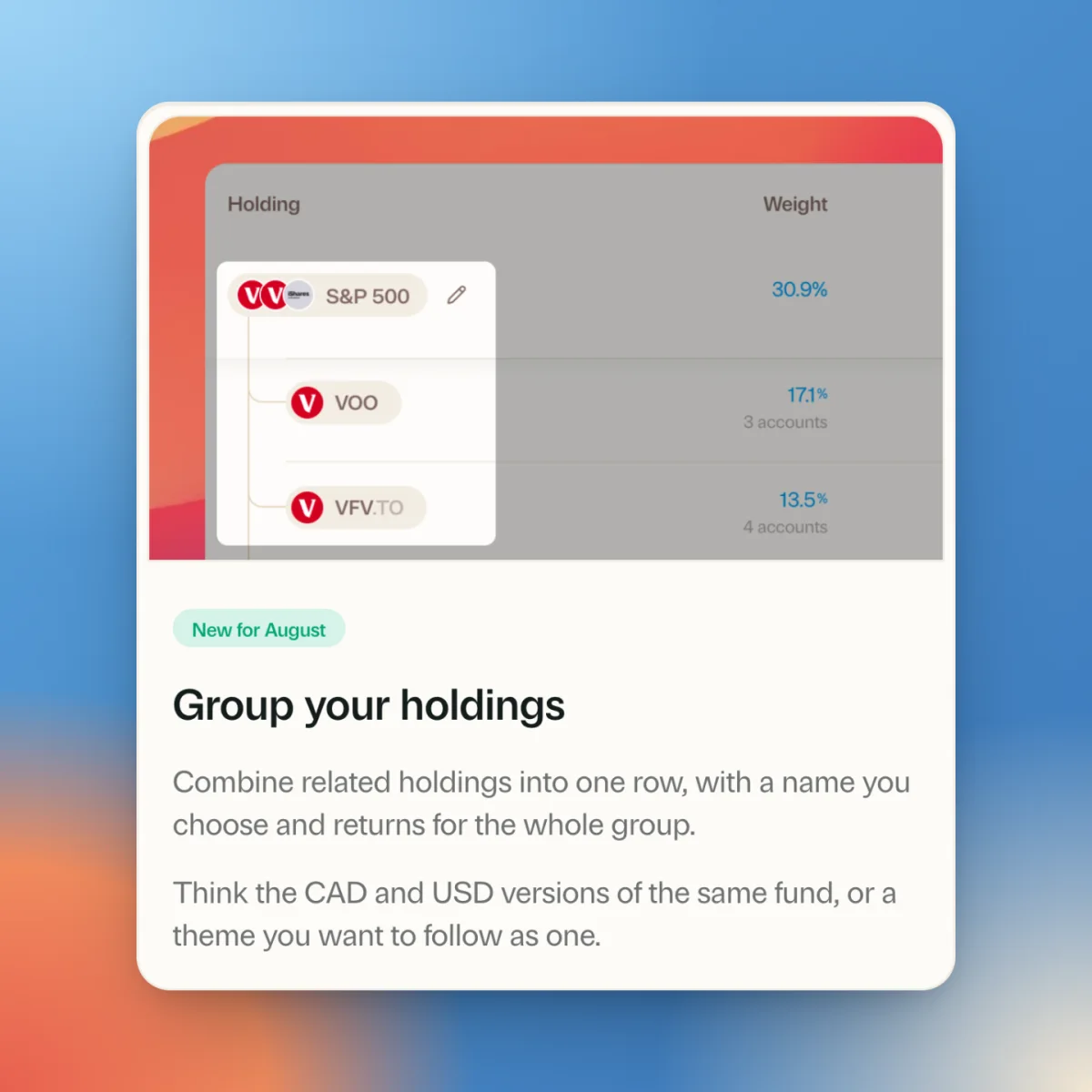
Group your holdings
Hold VFV, VOO, and XUS, all for the S&P 500? Bundle them into one group and track them as a single position across the whole app, from Biggest Movers to your allocation breakdowns. Expand a group any time to see the tickers inside. Works for stocks, ETFs, and crypto.
Import your National Bank activity history
National Bank Direct Brokerage accounts can now bring in their full activity history, not just current holdings. Buys, sells, dividends, distributions, and reinvested DRIP shares all come across, along with cash movements and your ending balance.
A friendlier daily summary
The daily summary card was restyled with a cleaner layout, easier-to-read text on phones, and follow-up questions presented chat-style, so digging deeper into your day feels natural.
The portfolio chart got a glow-up
The overview chart has new dynamic colours, animations that glide between time periods, and optional extras you can switch on from its menu: portfolio high/low markers and an on-chart value scale. Numbers across the app also got calmer, with quieter dollar signs, cents, and percent signs.
Smaller fixes
Fixed a flicker in the transaction logger when picking a recent holding, and an issue where three-year totals on the overview could keep showing a stale figure after new activity came in.
A home for positions you have sold
Holdings you have fully exited now have a place of their own, a quiet Past holdings section at the bottom of the page, so your current positions read cleanly without a toggle in the way. Open it and each exited position expands to show what you paid, what you sold for, and how it finished.
Better ticker matching on CIBC imports
CIBC imports now resolve tickers properly, including those on the TSX and the TSX Venture Exchange. Those files list the symbol and the exchange in separate columns, which used to leave a few holdings unmatched and needing a fix by hand.
Import your National Bank holdings from a CSV
You can now bring in your National Bank Direct Brokerage holdings from a CSV. Download the file from your account, upload it, and check the matches before anything is saved. There is a step-by-step guide for it in the import section.
More accurate closing prices
Some holdings were picking up an odd end-of-day price from our data provider, which made a position look like it had jumped or dropped when it had not. We changed how the closing price is chosen for the tickers this affected, and corrected the historical prices that had already been stored.
A heat map for your watchlist
The watchlist gained a heat map view, so you can scan today’s action in one glance. Switch back to the list any time from the same control.
Quieter tickers
Tickers now carry their exchange suffix at a lighter weight, so “VEQT” leads and ”.TO” sits back instead of competing with the name beside it. The suffix is still there when you need it, just dialled back, which makes a long list of holdings much easier to scan.
See both of your price targets at once
If you set both an upper and a lower target on a watchlist item, the list only showed you one of them. It now shows both, with the upper target leading, so you can see the whole range you are watching for without opening anything.
Dividend projections, two ways
The dividends widget can now show your income two ways: projected forward over the next twelve months, or looking back at the last twelve. Flip between them right on the refreshed card.
Arrange your accounts your way
You can now drag your accounts, and whole account types, into whatever order makes sense to you. The order you set carries through the rest of the app.
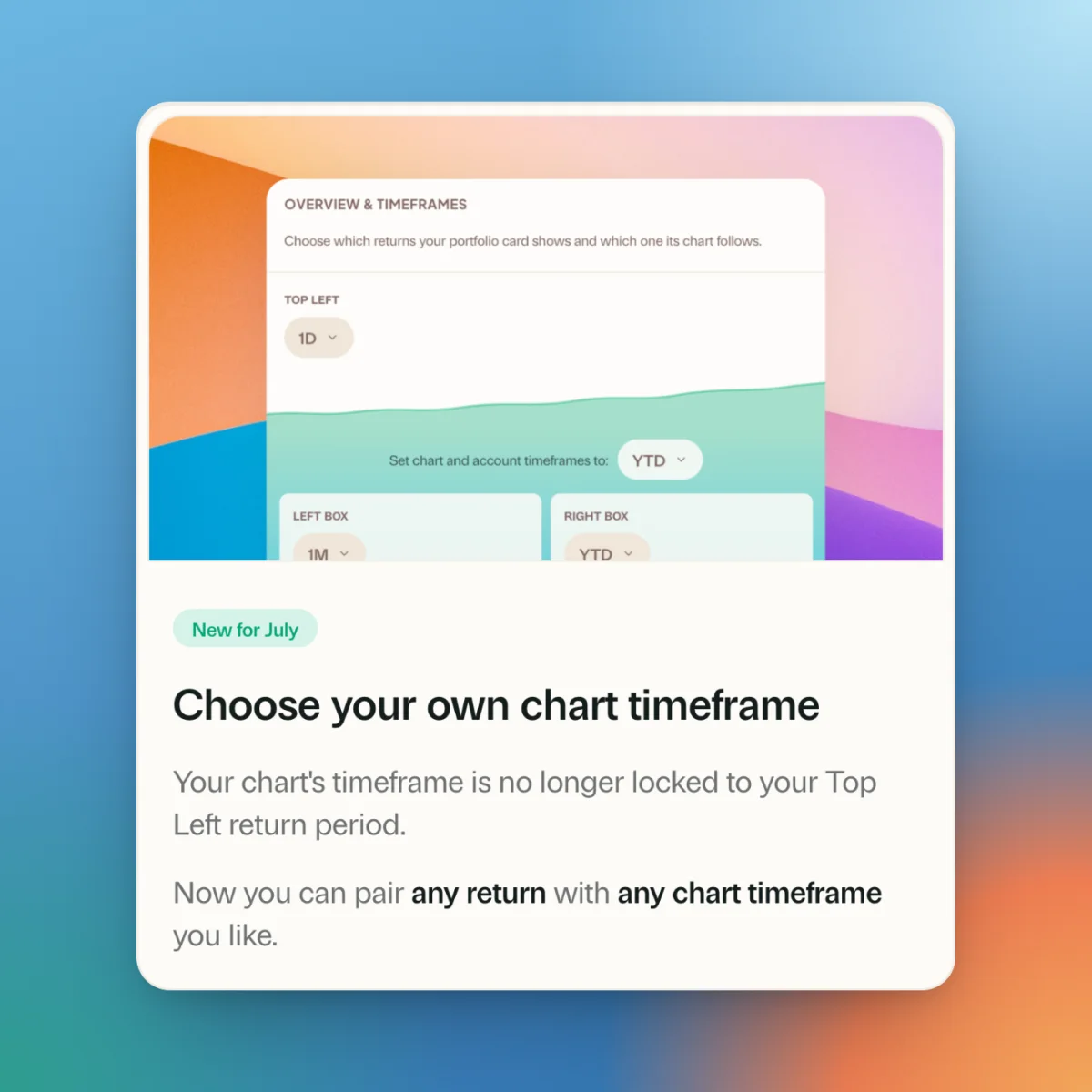
Pair any return with any chart timeframe
Your chart’s timeframe is no longer tied to the return in the top left of your portfolio card. Show a one-day return with a year-to-date chart, or any other pairing you like, from Overview and timeframes in settings.
Recent updates, inside the app
Greenline now tells you about new features right inside the app, with a Recent updates section so you can catch up on anything you missed. Meta? A little. Useful? Very.
Mutual Funds, grouped by what you hold
The Mutual Funds page now separates the funds you currently hold from the ones you don’t, with a cleaner rail and detail layout. Your actual positions come first.
Settings, reorganized
Settings got a rethink, with a rebuilt Preferences page and a new Display card that puts theme and hide-amounts controls in one place. On desktop, settings now open in a sheet beside your portfolio instead of taking you away from it.
Track up to three goals at once
The Goal card on Today can now hold up to three goals, so your portfolio target, dividend income goal, and retirement number can all live side by side. Setting one up is now a calm four-step flow.
A smarter Accounts page
The Accounts page now rolls everything up under an All Accounts summary card, with your accounts nested underneath by type. The allocation donut is interactive, and each account’s mini chart starts from the day you funded it, so short histories stop looking like flat lines.
Logging starts from the holding
The ”+” button now starts from the holding instead of the account, which matches how most of us actually think (“I bought more VFV”) and gets you through the form faster. The form itself got calmer too, and if you don’t want to enter full history for a stock you already own, you can simply record your current position and move on.
Web app reliability fixes
Two fixes for rare but annoying dead ends. Greenline added to your iPhone home screen no longer gets stuck on a blank screen, and Safari now recovers on its own when a stale version of the app is cached after an update.
Preview backdated changes before you save
Logging a buy or sell that happened in the past? Greenline now shows you how that backdated transaction will change your account before you commit it, so there are no surprises in today’s numbers.
Three return timeframes on the portfolio card
The portfolio card can now show up to three return timeframes at once, and you pick which one the chart follows. Configure it right on the card itself, no trip to settings required.
A bolder Biggest Movers
The Biggest Movers card got a redesign. Tiles are now sized by rank, so your number one mover is the hero of the card, and the whole thing reads at a glance.
A new Activity feed
There’s a new Activity page that shows everything that has happened in your portfolio: transactions you logged or edited, snapshots you saved, dividends you approved, and files you imported, all in one running list. Handy when you’re wondering “wait, when did that change?”
See what a snapshot changed
When you save a snapshot, Greenline now shows a short headline of what changed, like which holdings were added, updated, or closed out. It is an easy way to confirm you logged the right thing before moving on.
Redesigned account pages
Account pages got a cleaner header, an on-chart period selector, and a clearer breadcrumb so you always know where you are. Account types that hold several sub-accounts now show a count, making it easier to see how everything nests together.
A quicker account switcher
Moving between your accounts is faster now. A new account switcher lets you jump straight from one account to another, whether you are on your phone or your computer, without going back to the accounts list each time.
A clearer Holdings table
We rebalanced the columns on the Holdings table so the numbers that matter line up and are easier to scan at a glance. The period selector now lives inside the table card, right where you need it.
A refreshed, calmer look
We gave the app a quiet polish pass: hairline borders that define cards without boxing them in, consistent tabs and input fields throughout, unified chart styling, and gentler greens in dark mode. Nothing moved, everything just reads a little cleaner.
A clearer way to log snapshots
The snapshot drawer got a rework that makes it easier to review your holdings before you save. On mobile, you now move through a clean list, recap, and edit flow, so logging where your account stands today feels deliberate instead of fiddly.
More accurate money-weighted returns
Greenline now uses a money-weighted method (Modified Dietz) end to end when your returns are affected by the timing of your contributions and withdrawals. If you added a large deposit partway through the year, your return now reflects when that money actually started working, not just how much you put in.
Edit holdings without leaving the page
You can now flip a holding into edit mode right from the Holdings tab, with a clearer picker for past positions and a pen to jump straight into a snapshot. Fewer taps to fix a number, and less hunting for where to do it.
More accurate dividends and net worth
We tightened up a couple of calculations behind the scenes. Withholding tax is now applied consistently across your dividend history, so your income totals match what actually landed in your accounts, and property values flow correctly into your net worth and the calculators that use it.
Fee pills link to fund facts
The mutual-fund fee pills now link straight to that fund’s facts, and show the institution’s logo, so checking what you are paying and who manages the fund takes one tap.
Smoother first-time setup
Setting up your portfolio for the first time is now more reliable. We fixed a handful of issues that could cause the setup screens to flicker, get stuck in a redirect loop, or bounce you backwards when retrying a failed import.
A smoother transactions page and faster onboarding
A round of polish across two of the busiest parts of the app. The transactions page now has expandable date snapshots that remember your choices per account, smoother pagination, and tidier holding and stock filters, and a new transaction you log from the plus button shows up right away even when you are already on the page. During onboarding, picking a stock while adding your holdings is now instant, with the price loading in the background a moment later so you never have to wait.
Summary email accuracy improvements
Fixed a few issues in your weekly and monthly retrospective emails where percentages and dollar amounts could show up with the wrong sign, awkward trailing decimals, or values that did not quite match your portfolio. Numbers in these summaries now read cleanly and match what you see in the app.
Instant deletes with undo
Deleting a transaction, removing a stock from an account, or deleting a snapshot is now instant. You get a five second Undo button after each delete, and a small banner tells you when your balances and returns have finished updating in the background. If you have Greenline open on another device, the status syncs over within a second.
Short positions now appear correctly
Fixed an issue where holdings with negative quantities, like short positions, were being left out of portfolio overviews, account summaries, holding details, and returns calculations. They now show up properly across the app.
Cleaner Dividends portal with Log all
Pending and upcoming dividends now sit in their own clear sections. A new Log all button records multiple at once, and you can still adjust individual ones or log them as reinvestments.
Performance by Lot on every holding
Bought the same stock more than once? The new Performance by Lot card on each holding’s page shows how each buy is doing on its own, instead of just the blended average.
View the whole app in USD or CAD
Flip your entire portfolio between CAD and USD with one tap. Holdings, performance, dividends, and totals all switch together. Set it under Settings.
Currency flag preference
You can now choose when Greenline shows currency flags next to dollar amounts, either only on foreign currencies or on every value. Find the toggle under Settings, Locale.
Scotia iTrade support
You can now select Scotia iTrade as your brokerage when setting up your account. Greenline will tailor fee calculations, book cost tracking, and account types to match how Scotia iTrade works.
Holdings snapshots in Greenline CSV uploads
The Greenline CSV format now supports holdings snapshots, rows that capture exactly what you held in an account on a given date. They are handy when you are onboarding from another broker or reconciling at year end and you do not have every historical transaction. The CSV upload page has updated instructions and a new sample file you can download to get started.
Greenline is now on iOS
Greenline is now on the App Store. The native iOS app is significantly faster and smoother than the web, free from the compromises of running inside a browser.
Same account, same data, less friction every time you check in.
Android is next. For now, you can install Greenline to your Android home screen for the same full experience today.
Smarter portfolio summaries
Your daily, weekly, and monthly summaries now track streaks. They surface green days, red days, and stretches where you’re beating the market, and call out when exchange rate moves meaningfully helped or hurt your returns.
Intraday portfolio value fix
Fixed a bug where daily high and low values weren’t including mutual funds, causing them to appear lower than your actual portfolio value. If you hold mutual funds, your intraday stats are now accurate.
Mutual fund detail pages
Each mutual fund now has its own dedicated page. You can see a breakdown by account, edit your allocation percentages inline, and quickly jump between funds, all from one place. Tapping on any fund name throughout the app now takes you straight to its detail page.
Mutual fund snapshots in transactions
Your mutual fund value snapshots now show up right alongside your regular transaction history. Everything’s in one table. You can view, edit, or delete any snapshot without switching between different sections.
AI-powered holding matching
When you upload a statement, Greenline now uses AI to recognize your holdings. If a direct lookup doesn’t find a match, it’ll search by name, cross-reference candidates, and pick the best match on its own. Fewer holdings end up unmatched after an import.
Smarter stock search
Searching for stocks and ETFs now uses smarter matching. It can find what you’re looking for even with partial names or slight typos. Even something like “asia vanguard etf pacific cad” correctly finds Vanguard FTSE Developed Asia Pacific All Cap Index ETF (CAD-hedged).
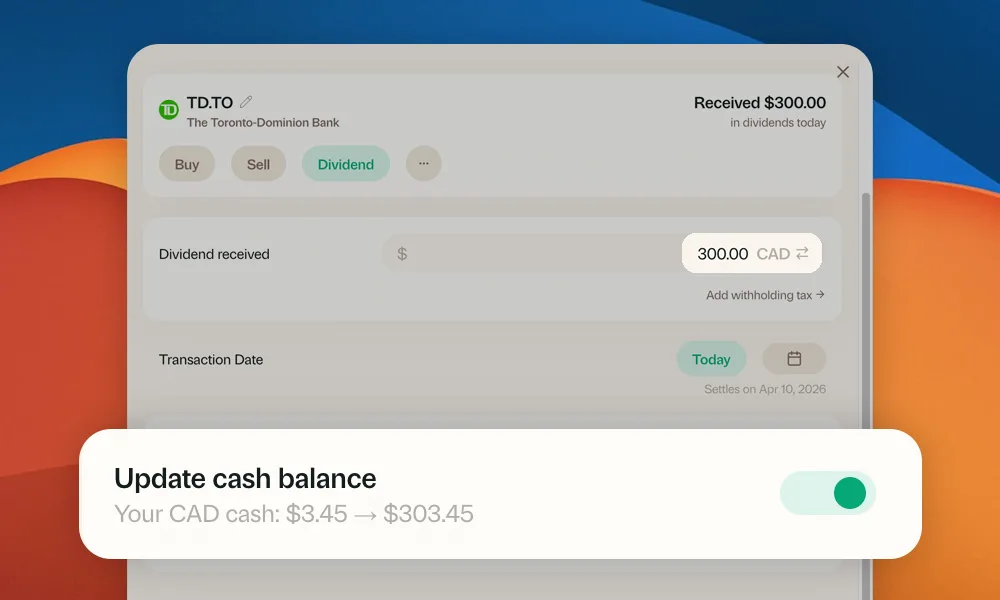
Cash balance updates when logging transactions
When you log a buy, sell, or dividend, you can now choose to automatically update your cash balance at the same time. A new toggle in the transaction form shows a preview of the change. No need to update cash separately.
Dark Mode
Greenline now has Dark Mode. Every screen, every chart, every number.
It applies across every tab: Today, Allocations, Holdings, cards, the works. Every chart, waterfall, sparkline, and benchmark comparison has been redesigned to be readable against a dark background.
Your reds are still red. Your greens are still green.
Peak Portfolio Days
The Best Days widget, now called Peak Portfolio Days, shows how your current portfolio value compares to each all-time high. You’ll see the dollar and percentage distance from each peak, so you always know how close you are to your best.
Faster stock prices
We’ve overhauled how Greenline pulls stock prices. Your portfolio now updates in near real-time, so the numbers you see more closely reflect what’s happening in the market.
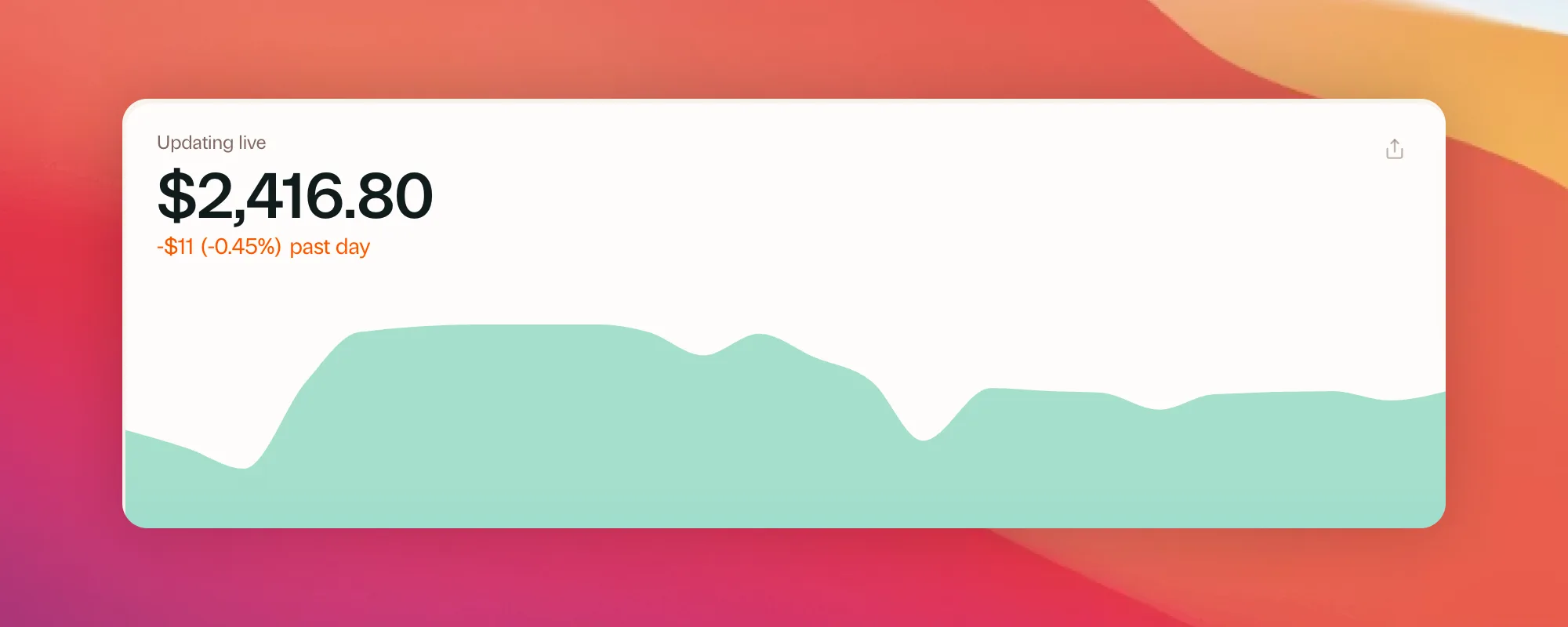
Pull to refresh
Yes, it took us a year, but you can now pull down from the top of the screen to refresh your portfolio. Better late than never. Works when you’ve installed Greenline to your home screen.
Faster PDF imports
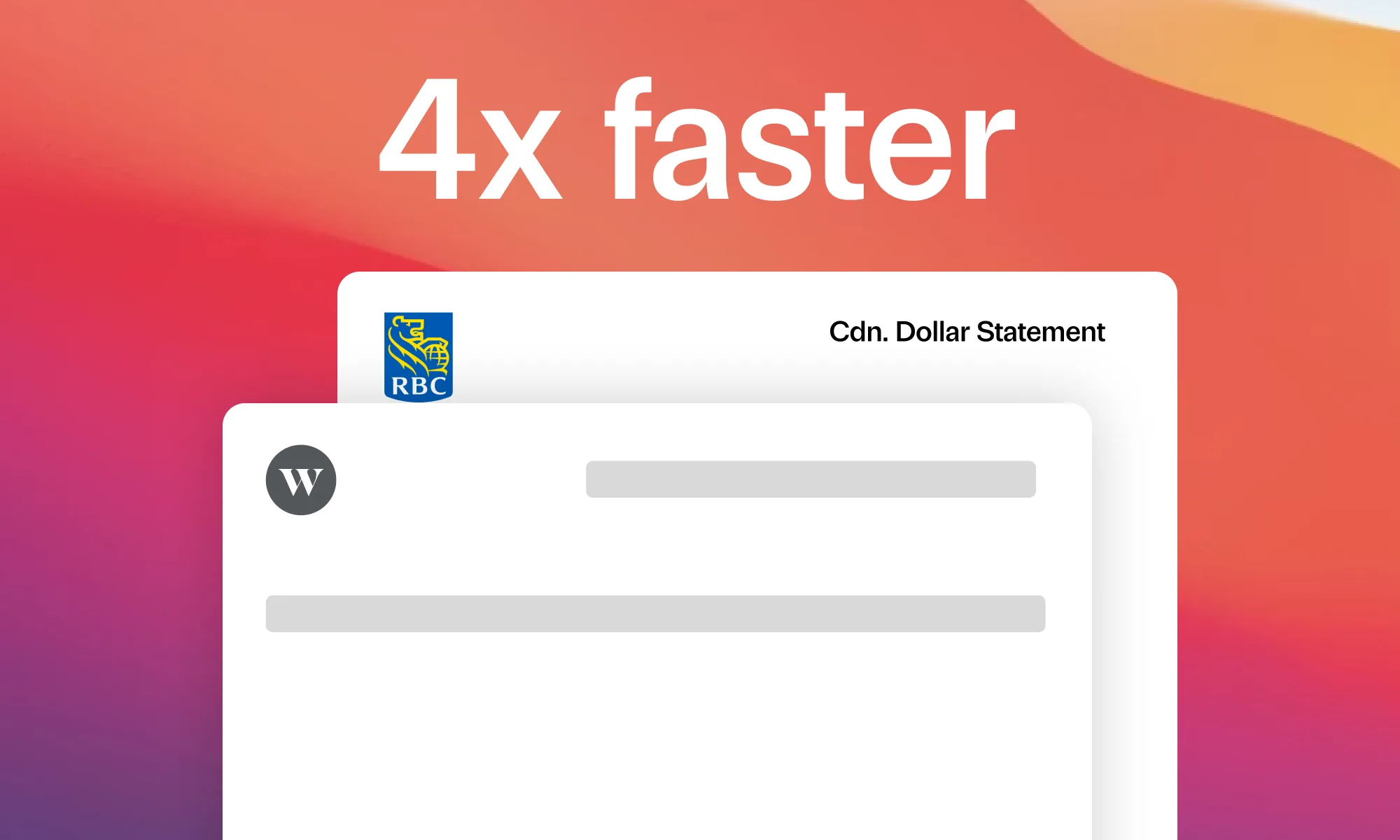
We completely rebuilt how Greenline reads your statements. The new system is purpose-built for financial documents and 4x faster than before.
Sometimes it’s so fast you might not even notice it’s processing. You upload, and it’s just done.
Reports page
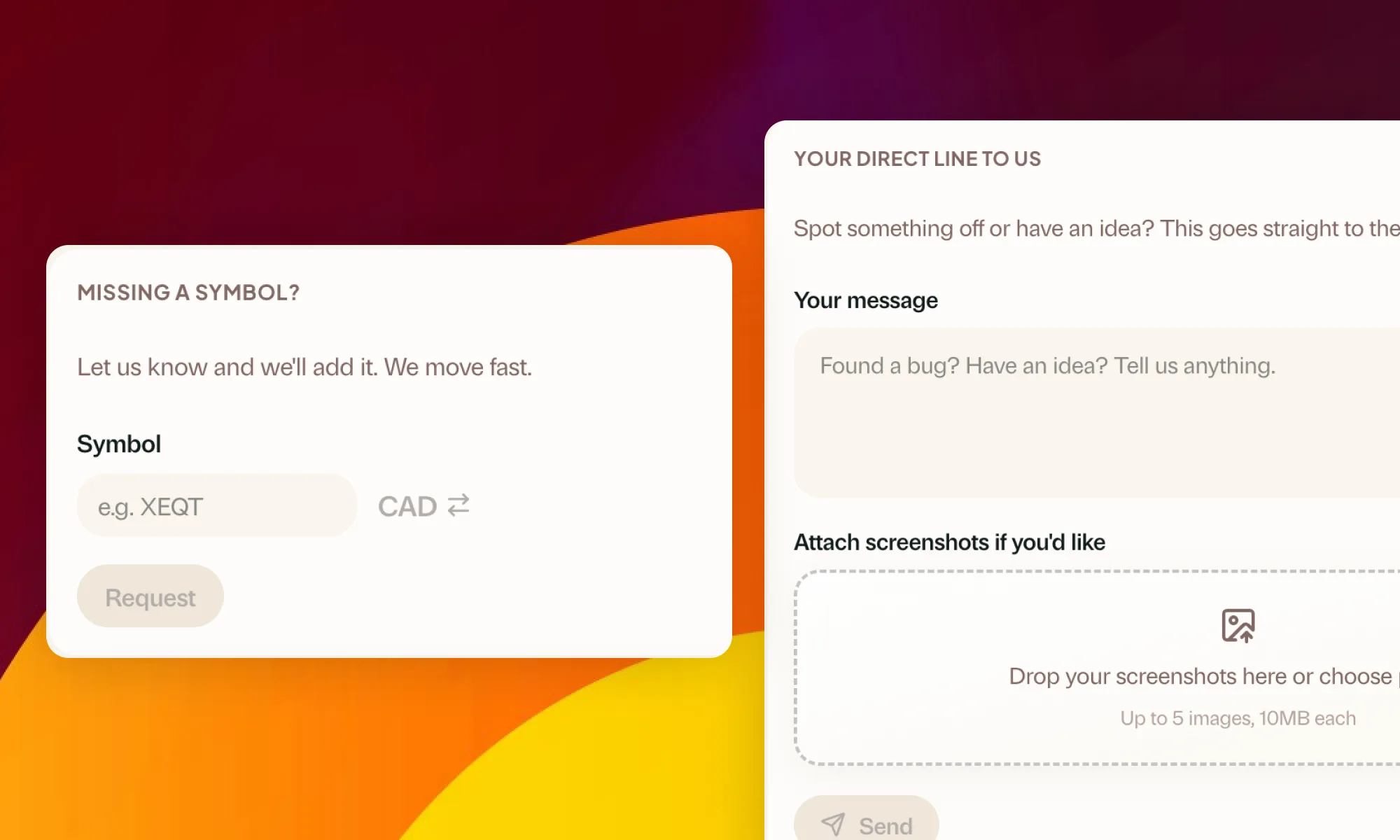
Tax reports now have their own dedicated section with tabs for easy navigation. You can also suggest new reports directly from the app. Tell us what reports you’d like to see and we’ll consider building them.
Feedback form
You can now send us feedback or report bugs directly from the app. No need to send an email. Head to the Support page, write a message, attach screenshots if needed, and it goes straight to our team.
Mutual fund history chart
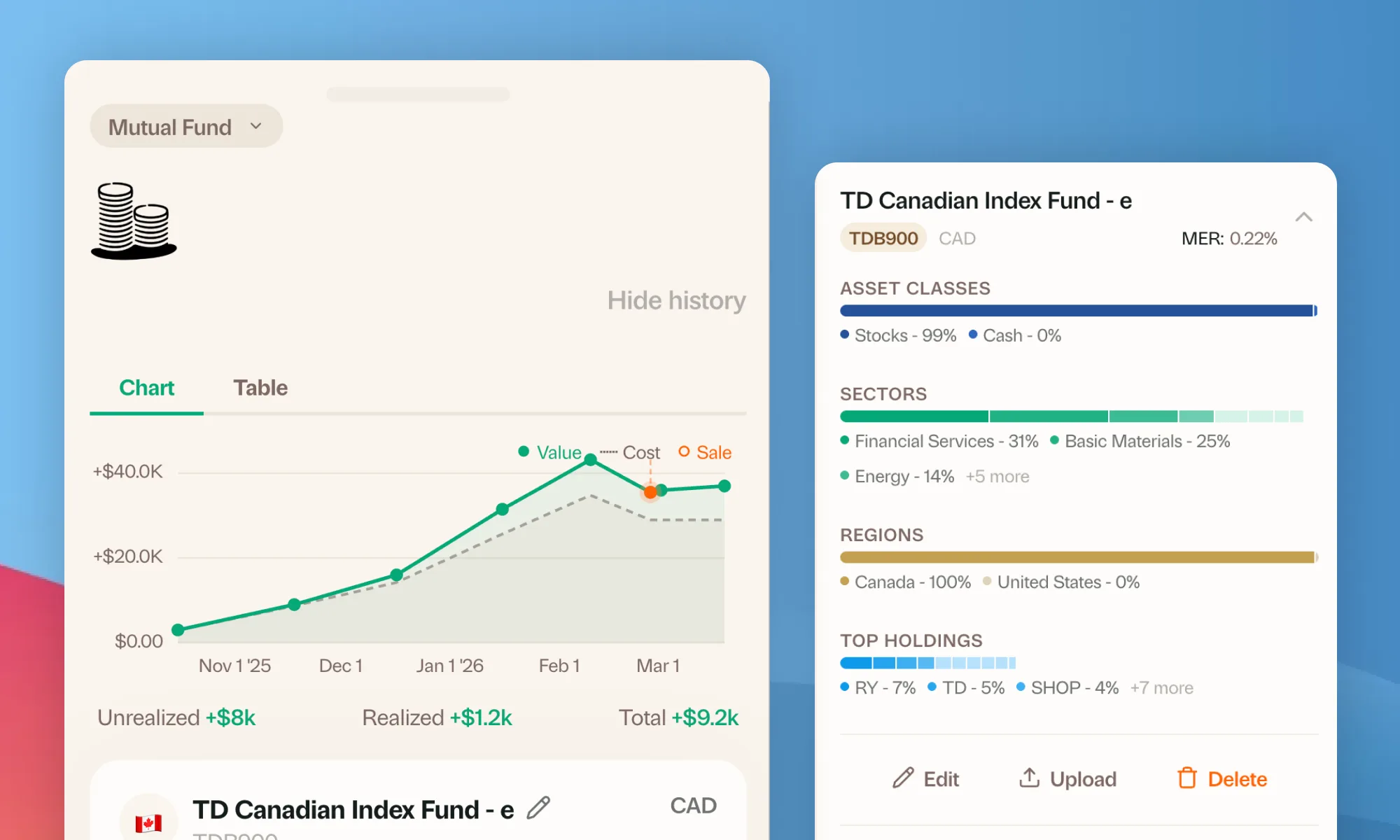
When you log snapshots for a mutual fund, you can now see your value history as an interactive chart. Tap any point to see the exact value at that date. You can also switch between the chart and a table view. On mobile, the table now shows as a clean card layout instead of a cramped spreadsheet.
Mutual fund sale tracking
You can now record sale proceeds when updating your mutual fund holdings. This means Greenline can track your true performance, not just what your portfolio is worth today, but what you’ve actually earned along the way.
Redesigned mutual funds page
The mutual funds page got a visual overhaul. Each fund now has its own card with a cleaner layout, colour-coded allocation bars, and a more polished feel overall. On mobile, funds collapse into a compact view you can tap to expand for full details.
Import failure visibility
Fixed a bug where failed PDF or screenshot imports would appear stuck on “Processing” instead of showing as failed. You’ll now see a clear error message when an import doesn’t go through.
Smarter PDF uploads
Greenline now checks your statement before processing it to make sure it has the data we need. If something doesn’t look right, like a tax slip or transaction history instead of a holdings statement, you’ll get a clear explanation and tips on what to upload instead, saving you time waiting for something that wouldn’t have worked.
Help & Support page
There’s now a dedicated Help & Support page where you can submit symbol requests directly from the app. If a stock or ETF you hold isn’t in our system yet, you can request it without leaving Greenline.
IBKR and CIBC support
Interactive Brokers and CIBC are now supported brokerages. If you use either, you can select them during setup and Greenline will configure your account accordingly.
Mutual fund balance fix
Fixed a bug where mutual funds under the same account had their balances overwritten instead of summed. If you had multiple funds tracked in one account, your balance timeline now correctly reflects the total across all of them.
Improved accounts view
More details, more insights, and more account-level data. Each account now surfaces richer information so you can understand what’s happening without digging through individual holdings.
Interactive Brokers support
Interactive Brokers is now a supported brokerage. If you use IBKR, you can select it during setup and Greenline will configure your account accordingly.
Pricing and performance fixes
Fixed a bug where intraday portfolio values could appear inflated during market hours. Also resolved an issue where realtime price updates stopped working and improved how often growth tables recalculate.
iOS app in development
We’ve started building a native iOS app. Greenline has always worked on your phone through the browser, but a dedicated app means faster performance, better notifications, and a more polished experience. More to share soon.
Monthly retrospectives and multi-file upload
Monthly summary emails now join the weekly ones, with a deeper look at your portfolio over the past month. Onboarding now supports uploading multiple files at once, so you can import all your accounts in a single session.
Reliability fixes
Fixed an issue where some users could get stuck in an onboarding loop, and another where weekly emails were still being sent after unsubscribing. Also resolved intermittent issues with charts not loading and the holdings table breaking after navigating away and back.
A brand new look
Greenline just got an updated look. More space, clearer typography, and numbers that stand out.
Updating balances and logging transactions now takes less effort.
The whole app is built around the questions you’re already asking: What do I have? How is it doing? Where is it held?
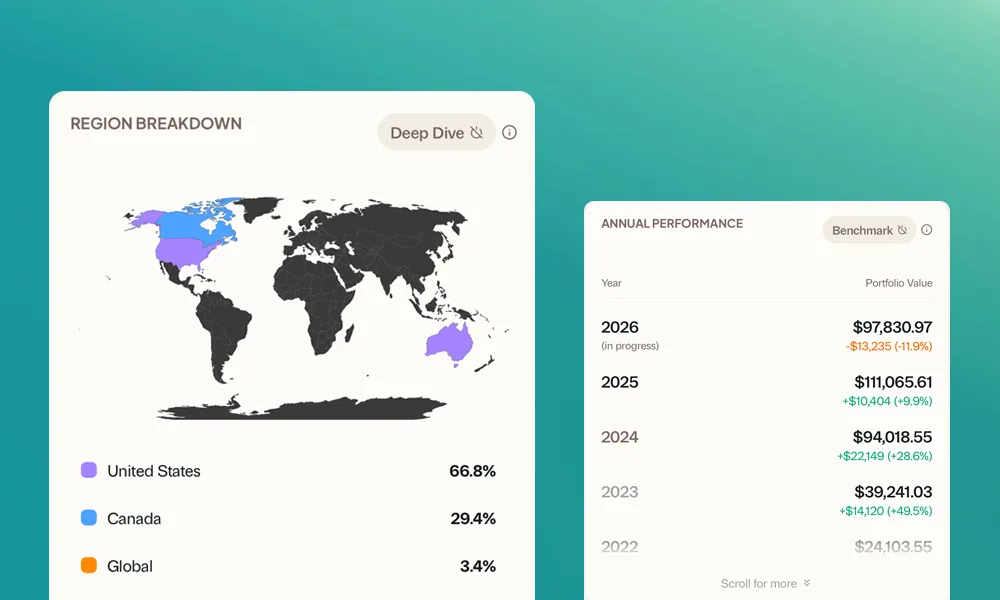
Holdings view
A completely new way to see what you own. Interactive charts for sector and region allocation, clickable pills that filter your holdings, and a detail page for each holding showing your returns, account breakdown, and history. Everything about your holdings, in one place.
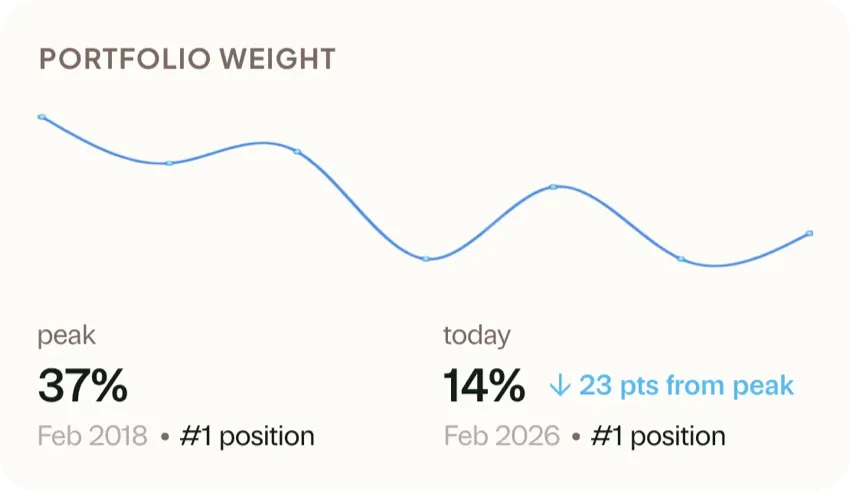
Dividend tracking
See every dividend you have earned, broken down by holding, account, and time period. A new prediction engine forecasts upcoming payouts based on historical patterns, so you know what’s coming before it arrives.
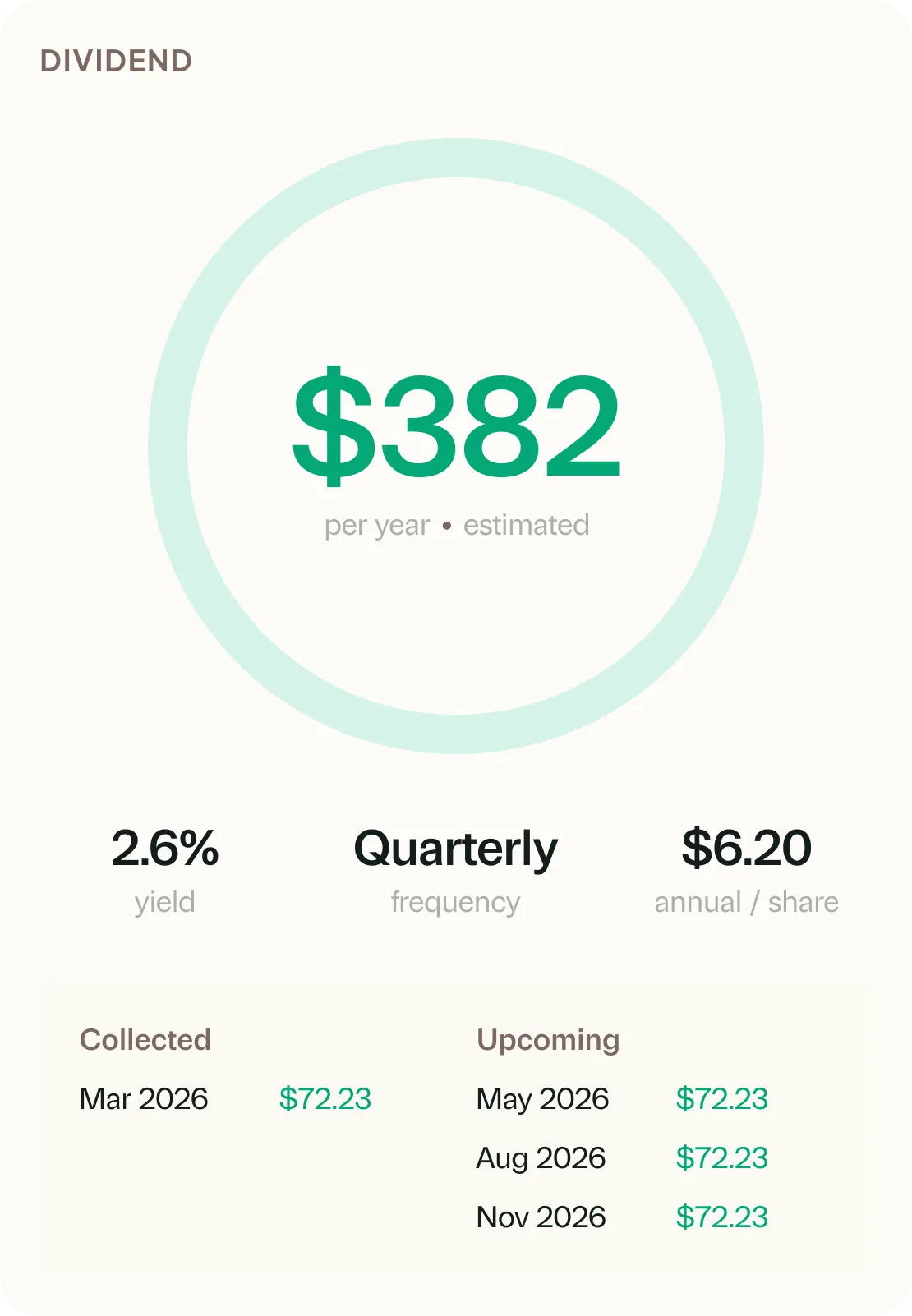
Grant now streams answers
Grant’s responses now stream in real time instead of making you wait for the full answer. The conversation feels more natural, and Grant can handle deeper questions about your portfolio with more context and accuracy.
New tabs, clearer insights
Greenline is now organized around how you actually use it. A new Today tab for daily check-ins, and other tabs for deeper insights when you need them. Less clutter, more clarity.
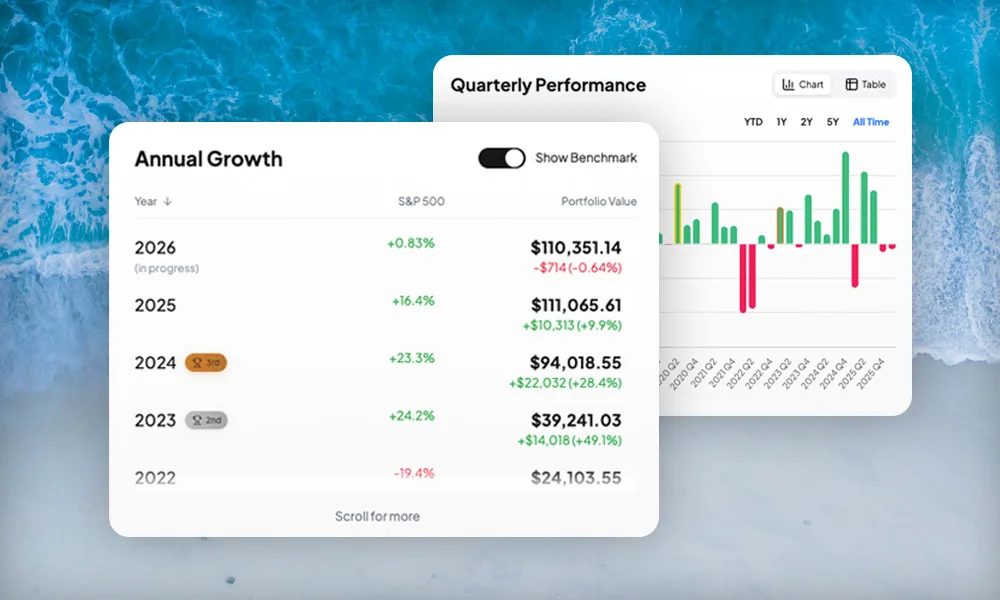
We’ve also added Performance and Annual Growth charts, so you can see how your portfolio has performed over your entire investment history, by quarter and by year.
Speed and live updates
The entire app now loads faster. Your portfolio value updates in real time as prices change during market hours, no manual refresh needed. Dashboard data loads instantly from cache while fresh numbers are fetched in the background.
Comparison periods let you overlay two timeframes on your chart. Market hours indicator pulses green when markets are open.
Holding detail pages
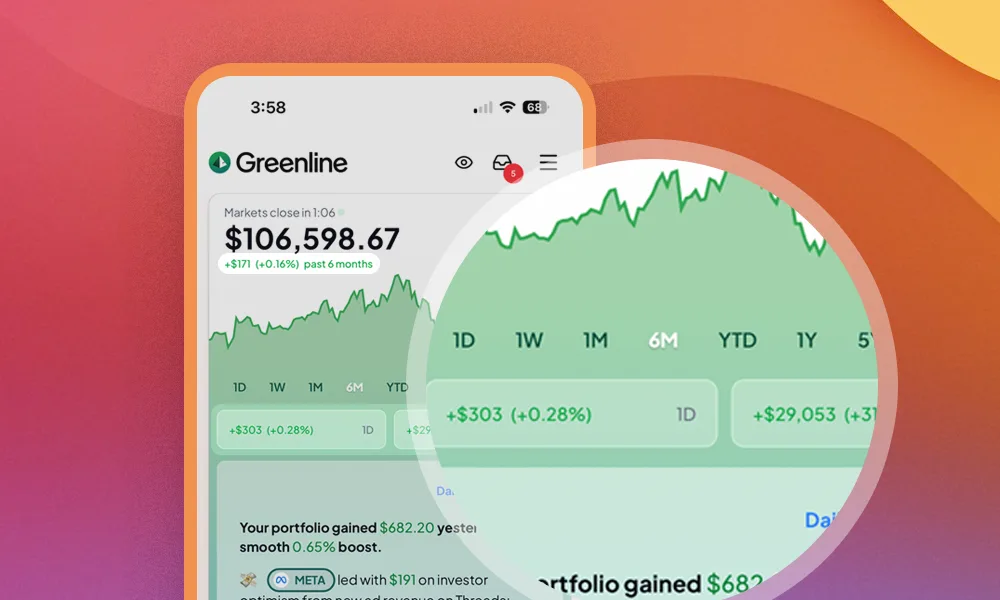
Tap any holding to see its full story: price chart, book cost overlay, which accounts it lives in, and milestones. Everything about a single holding, all in one place.
Capital gains and cash balance fixes
Fixed an issue where capital gains could display incorrectly, along with several cash balance bugs. You can now enter negative cash for margin accounts and decimal amounts work properly.
Crypto tracking
Greenline now supports crypto. Add Bitcoin, Ethereum, and other holdings from exchanges, and your daily AI summaries will include notable crypto movements alongside your stocks and funds.
See your full financial picture in one place: ETFs, stocks, mutual funds, RSPs, and now crypto.
Tracked in USD for now. If you own crypto ETFs, keep tracking those in your regular accounts.
Mutual funds
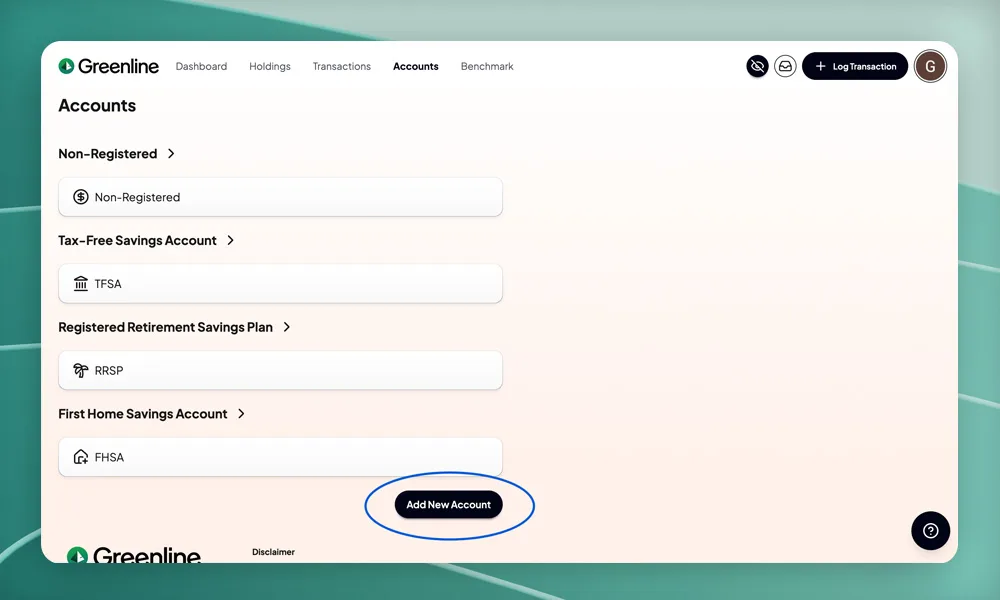
Greenline now supports mutual funds. See ETFs, stocks, mutual funds, and your group RSP in one place, with deeper insight into your sector concentrations than before. Catch hidden overlaps when multiple funds hold the same stocks, and get a truer picture of your diversification.
Go to Profile, then Manage Assets, to create your funds with fund sheets, fees, sectors, holdings, and regions. Then log transactions to track your units over time.
Weekly summary emails and asset class breakdown
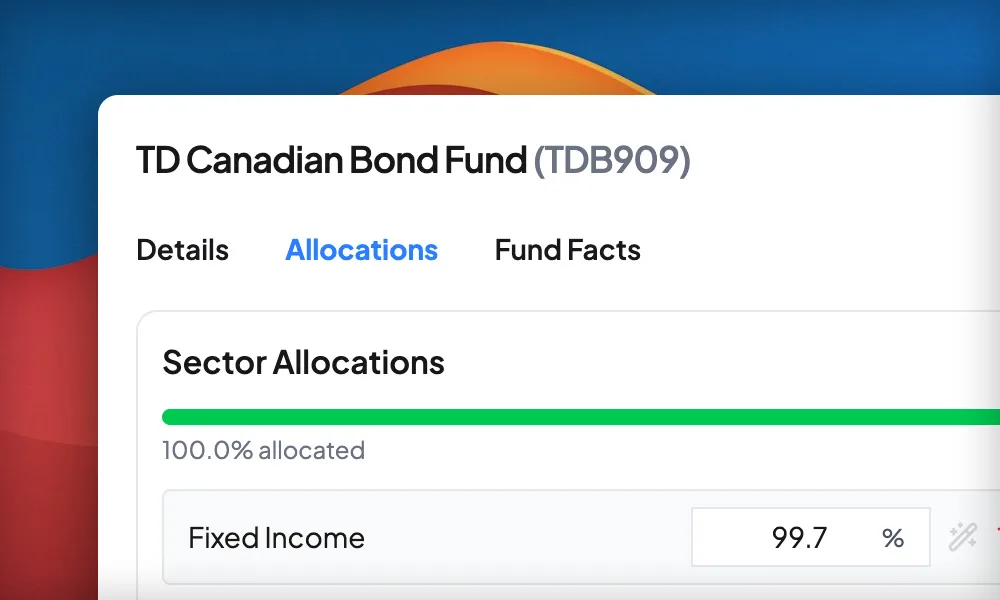
A weekly summary email lands in your inbox every Friday with your portfolio highlights. New asset class breakdown shows your split between equities, bonds, and cash so you can see your overall allocation at a glance.
Meet Grant
Grant is Greenline’s AI. Ask it anything about your portfolio and get an answer grounded in your actual data. “Which of my holdings pays the most in dividends?” “How has my sector allocation changed this year?” Grant understands your numbers, not just generic advice.
Waterfall charts and Product Tour
By popular demand, you can now see what drives your returns, up or down, with the new Waterfall view in Today’s Movers. Perfect for understanding how each holding contributes to your overall performance on any given day.
New Greenline users also get a built-in Product Tour to orient them right away. Long-time users can retake it anytime from the profile menu.
Benchmark comparison
Compare your portfolio’s performance against indices like the S&P 500 and TSX. See how your returns stack up over any time period. A similarity score shows how closely your portfolio tracks each benchmark.
RBC Direct Investing support
RBC Direct Investing is now a supported brokerage. Select it during setup and Greenline handles fee calculations, account types, and PDF statement uploads for RBC.
Onboarding overhaul
A totally redesigned setup experience. A new snapshot builder lets you enter your current holdings when you first sign up, so you see your portfolio immediately instead of starting from zero. A guided product tour walks you through every feature.
Also in this update: automatic stock split handling and stock autocomplete when logging trades.
TD Direct Investing support
You can now select TD Direct Investing as your brokerage when setting up your account. Greenline will tailor fee calculations, book cost tracking, and account types to match how TD works.
Push notifications
Get a notification on your phone when your daily summary is ready. Choose which alerts you want in your settings. No spam, just the updates you asked for.
Transaction editing
You can now edit your stock transactions after logging them. Change the date, quantity, price, or currency without having to delete and re-enter. A completely rebuilt transaction logger also makes manual entry faster.
BMO InvestorLine support
BMO InvestorLine is now a supported brokerage. Select it during setup and Greenline handles fee calculations, account types, and statement parsing for BMO.
Portfolio milestones and week in review
Greenline now tracks your all-time highs and best days. New “week in review” and “month in review” summaries show how your portfolio performed over the past period with charts and key numbers at a glance.
Accuracy improvements
Fixed several calculation issues affecting portfolio returns, cash balances, and book cost values for multi-currency accounts. Numbers across the app should now be more consistent and reliable.
PDF statement upload
Upload your brokerage PDF statements directly. Greenline reads them and pulls out your holdings automatically. Drop the file in (or drag it), review what was found, and confirm. No manual entry needed.
Dedicated holdings page
A single page for every holding across every account, with sorting and filtering. See your full portfolio in one place, search for a specific stock, or filter by sector and region.
Data correction wizard
When something looks off in an import, Greenline now catches it. A review wizard walks you through confirming or correcting anything that doesn’t add up, so your data stays accurate without you having to hunt for errors.
AI daily summary
Every morning, Greenline writes you a plain-language summary of what happened in your portfolio yesterday. What moved, by how much, and why it matters. No jargon, no noise. Just a quick read to start your day.
Realtime stock prices
Stock prices now update in realtime during market hours, not just end of day. Your portfolio value stays current while markets are open, and you can see exactly how your holdings are moving throughout the day.
Add to phone, privacy mode, and fee tracking
Three things at once.
Add Greenline to your phone’s home screen so it works like a native app. Privacy mode hides your numbers when someone’s looking over your shoulder. And ETF fee tracking shows you what you’re actually paying in embedded management fees.
Portfolio dashboard
Greenline got a real dashboard. You can now see your total holdings breakdown, dividends earned, total returns, and amount invested, all in one view. Before this, everything was account by account. Now it’s your whole portfolio at a glance.