




Best way to track your portfolio in Canada


Short answer: For Canadian DIY investors, the best portfolio tracker covers Canadian account types (TFSA, RRSP, FHSA), tracks adjusted cost base across brokerages, surfaces fees, and works without bank linking. Greenline is one option built around exactly that scope.
I built Greenline, so I have an obvious bias here. I’m not going to pretend otherwise. You’re reading this on our website, the logo is in the top corner, and I’d love it if you signed up. Full transparency.
But I also spent years trying every approach to tracking a portfolio in Canada, and I have opinions on all of them. Some are good. Some are surprisingly bad. And the right one depends entirely on your situation. I’ll be honest about what we built, where it works well, and where it falls short. If Greenline isn’t the right fit for you, I’d rather you know that now than find out six months in.
| Approach | Strengths | Trade-offs | Best for |
|---|---|---|---|
| Spreadsheets | Free, flexible, fully under your control | Manual maintenance grows with complexity; silent formula errors; ACB and multi-currency get painful fast | One account, simple holdings, no FX |
| Brokerage tools | Free, automatic, always current | Single-account view only; can’t see total allocation, combined returns, or cross-account overlap | One brokerage, no second account or spouse |
| Bank-linked aggregators | Auto-consolidated view across accounts; minimal effort | Share brokerage credentials with a third party; many tools were US-first and treat Canadian features (TFSA, RRSP, ACB, MER) as bolt-ons | Multi-account investors who prioritize convenience over privacy |
| Manual trackers (Greenline) | Canadian-native (TFSA, RRSP, ACB, MER); no bank linking; full picture across accounts | Manual upload step every time you want fresh data | Multi-account Canadian investors who want privacy and accuracy over auto-sync |
The detail on each approach follows.
Spreadsheets
The spreadsheet is where everyone starts. It’s free, it’s flexible, and there’s something satisfying about building your own system from scratch. You set up the columns, you pull in your tickers, maybe you get fancy with some formulas. For about three weeks, you feel like a genius.
I went through this phase. Multiple times, actually. I’d build something, love it, maintain it religiously for a month, and then life would get in the way. A busy week, a missed update, and suddenly the spreadsheet was showing numbers from six weeks ago. At that point it’s not a tool anymore. It’s a souvenir.
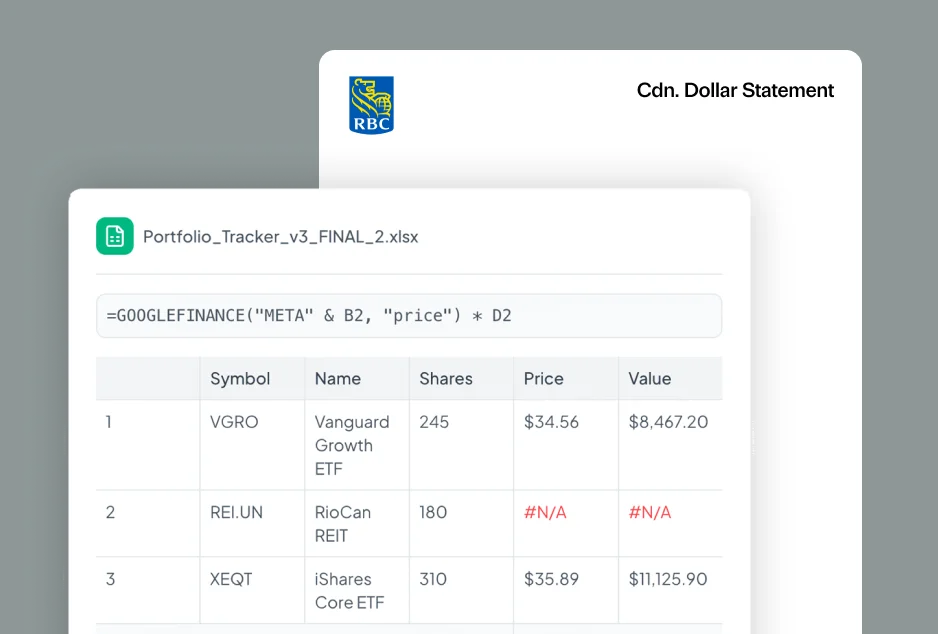
Spreadsheets work well if you have one account with a handful of ETFs and no currency conversion to worry about. The moment you add a second brokerage, or need to track adjusted cost base across accounts, or want to see your actual returns (not just what the market did), the spreadsheet starts fighting you. You can make it work. People have built incredible spreadsheets. But the maintenance cost is real, and it scales with complexity.
The other risk that often gets missed is errors. Spreadsheets don’t tell you when a formula is wrong. They just show you a number and you trust it. A broken formula can quietly throw off your totals for months before you notice, and by the time you catch it, you may have already made contribution decisions based on bad numbers. The more complex the spreadsheet, the more places things can silently go wrong.
Your brokerage’s built-in tools
Every brokerage in Canada gives you some version of a portfolio dashboard. Wealthsimple has a nice one. Questrade shows you your holdings and performance. The bank brokerages have varying degrees of usefulness, but they all show you something.
The good part: it’s free, it’s automatic, and the data is always current. You don’t have to do anything. The bad part: it only shows you what’s in that one account. If you have a TFSA at Wealthsimple and an RRSP at your bank, you’re looking at two separate dashboards that have no idea the other exists. You can’t see your total allocation, your combined returns, or whether you’re duplicating holdings across accounts. Most brokerage dashboards also show you return numbers that can be genuinely confusing, mixing time-weighted and money-weighted calculations in ways that make your performance look different than it actually is.
If you have exactly one brokerage account with straightforward holdings, your brokerage’s tools are probably fine. You don’t need anything else. But the moment your situation gets even slightly more complex, two accounts, a spouse, different currencies, the brokerage dashboard stops being enough.
Bank-linked aggregators
This is the category that gets the most attention. Tools like Wealthica, Sharesight, and others that connect directly to your brokerage accounts and pull in your data automatically. You link your accounts once, and the app keeps everything up to date.
The appeal is obvious. You get a consolidated view across all your accounts without doing any manual work. For people who want to see their whole portfolio in one place with minimal effort, this is the dream.
The trade-off is that you’re sharing your brokerage credentials with a third party, or relying on screen scraping that sits between you and your financial institution. There’s a whole separate conversation about why most portfolio trackers want your bank login and what that means for your security and your account agreement. It’s worth reading before you decide.
The other reality is that many of these tools were built for the U.S. market first and added Canadian support later. That means TFSA and RRSP tracking can feel bolted on rather than native. Adjusted cost base, a Canadian-specific concept that matters for your taxes, is often an afterthought. Management expense ratio (MER) tracking for Canadian-listed funds can be incomplete. Some of these tools are genuinely excellent, and they’ve improved a lot over the past few years. But it’s worth checking whether the Canadian-specific features you need actually work the way you expect them to before committing.
Manual trackers
This is what Greenline is. I should be upfront about that, because this is the part where I’m most biased.
We built Greenline because the other approaches didn’t work for us. I didn’t want to maintain a spreadsheet. I didn’t want to share my brokerage credentials with a third party. And I was tired of looking at four different dashboards to understand my own portfolio. So we built something where you upload your brokerage statements (PDFs or CSVs) and the app does the rest.
The result is a consolidated view of everything you own, across every account, at every brokerage.
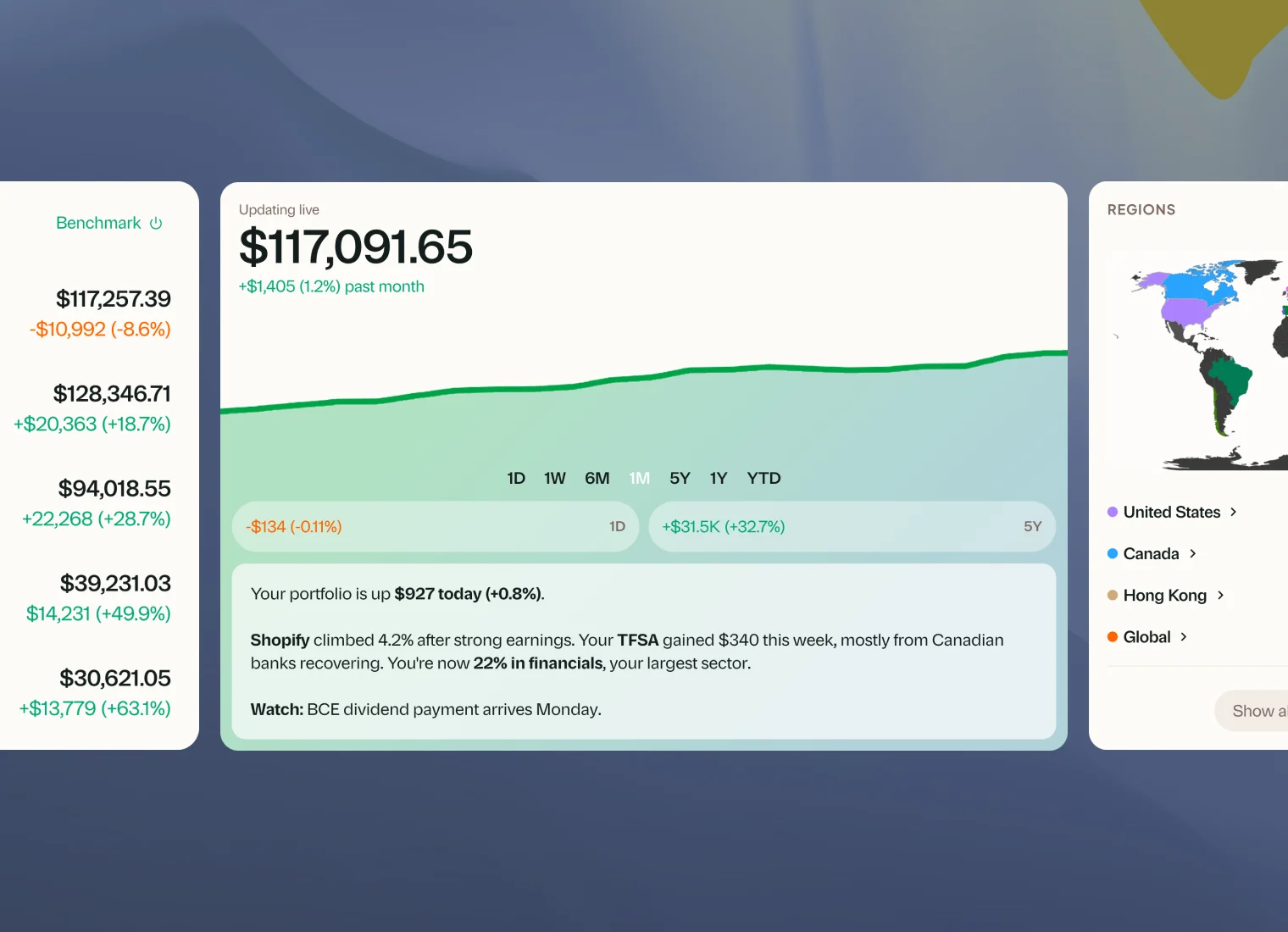
The upload process is straightforward. You download a statement or export from your brokerage (the same files you’d download at tax time anyway), and you upload them.
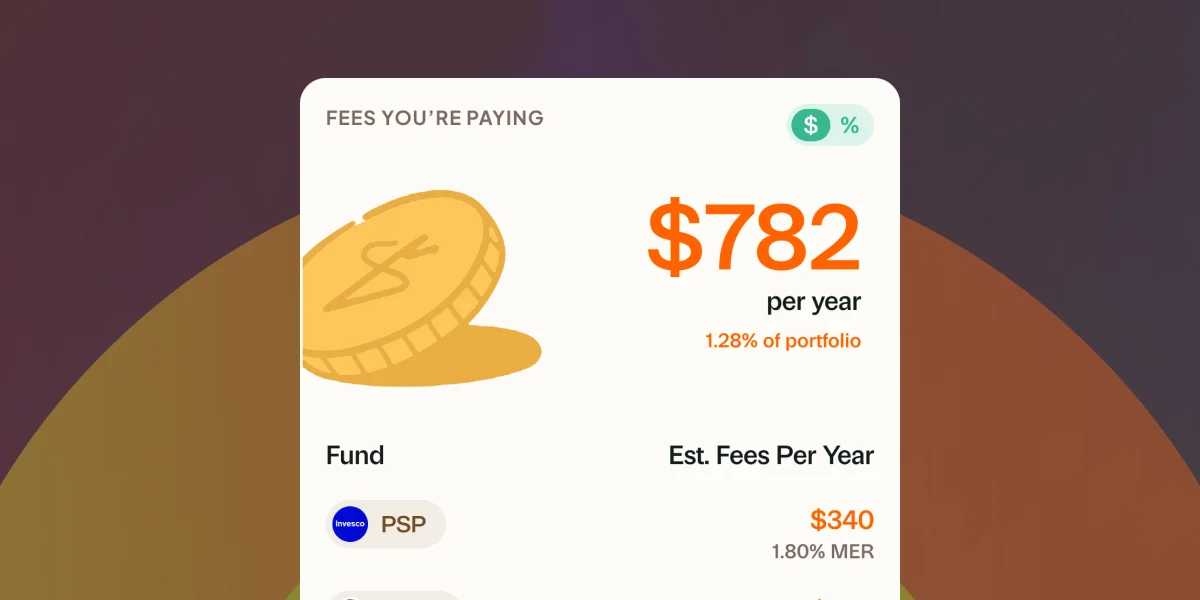
Because Greenline was built for Canadian investors from the start, the things that matter here are native. TFSA and RRSP contribution tracking. Adjusted cost base calculated properly. MER analysis across all your holdings so you can see exactly what you’re paying in fees.
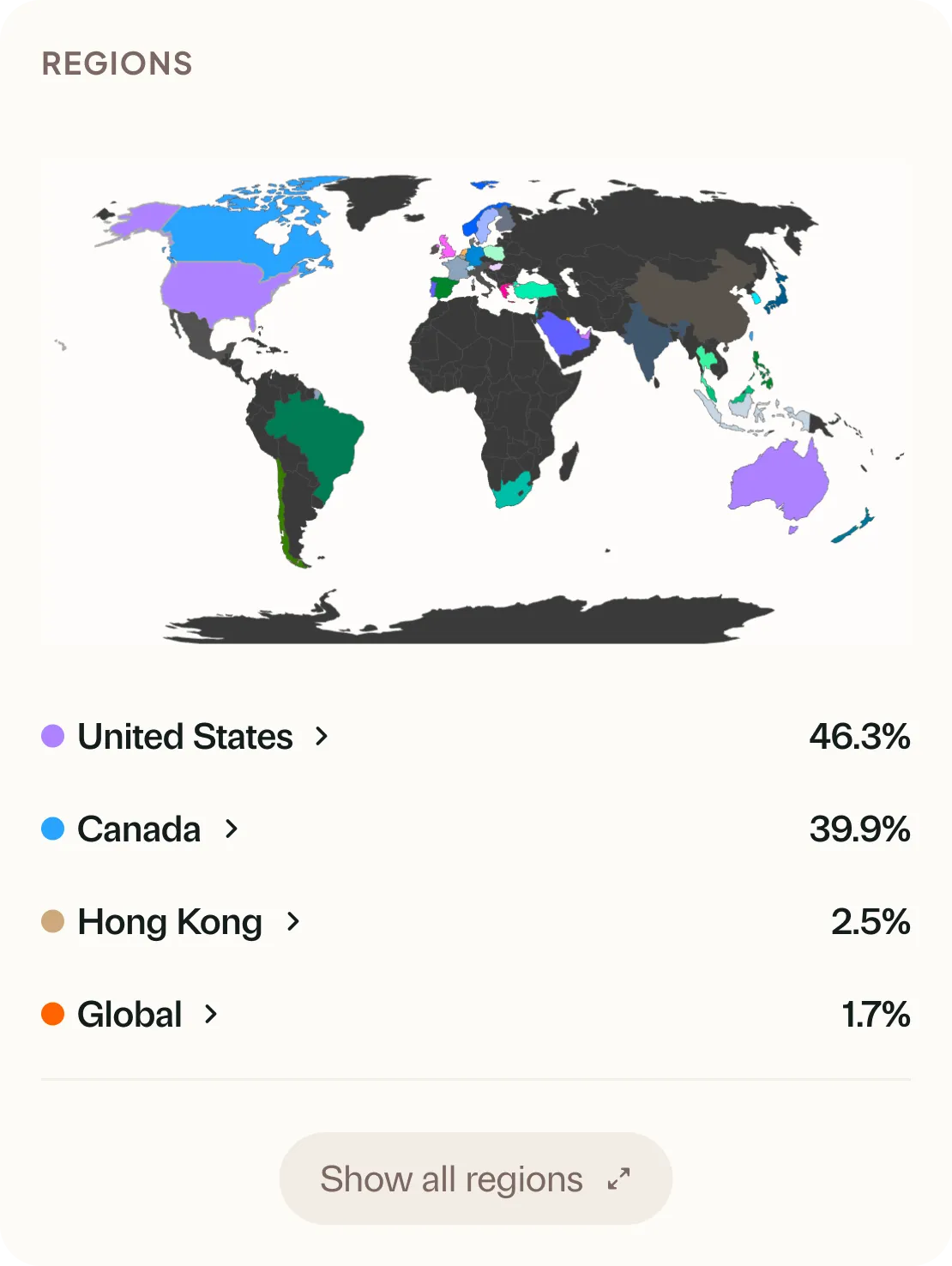
You also get deeper analysis than most brokerage dashboards offer. Geographic breakdowns, sector exposure, overlap detection across accounts. The kind of information that helps you make better decisions about where your next dollar should go.
Now, the honest trade-off. Greenline requires a manual upload step every time you want fresh data. That’s a few minutes, usually less than five, but it’s not zero. If you want something that updates automatically without you lifting a finger, this isn’t it. That’s a real limitation and it’s not for everyone. Some people will always prefer the convenience of a bank-linked app, and that’s a completely valid choice. We chose the manual approach because we think the privacy and data accuracy trade-offs are worth it. But “worth it” is personal.
So which one should you use?
It depends on your situation, and I mean that sincerely. There’s no single right answer here.
If you have one brokerage account with a simple portfolio, your brokerage’s built-in tools are probably all you need. Don’t overcomplicate it. If your accounts are scattered across multiple platforms and you need a consolidated view, then you need something beyond what any single brokerage provides. If privacy matters to you and you don’t want to share credentials, a manual tracker is the way to go. If convenience is your top priority and you’re comfortable with the security trade-offs, a bank-linked aggregator will save you time.
Before you choose anything, it helps to think about what actually matters in a portfolio tracker. Features sound good in a list, but what you actually use day-to-day is usually simpler than you’d expect. And if you’re not sure whether you need a portfolio tracker at all, that’s a fair question worth answering first. If you’re still figuring out which brokerage to use, we have a comparison of the major Canadian options that might help with that decision too.
The most important thing is that you have some way to see the full picture. Whether that’s a spreadsheet you actually maintain, an aggregator you trust, or a manual tracker you update once a month. The worst option is the one where your money is spread across four platforms and you’re guessing at what you actually own.
Do I need a portfolio tracker if I only use one brokerage?
Probably not. If everything is in one place and your brokerage dashboard gives you the information you need, adding another tool on top is unnecessary complexity. The main reasons to use a separate tracker are consolidation across accounts and deeper analysis than your brokerage provides. If you don’t need either, you’re fine without one. There’s a longer version of this answer if you want to think it through.
What’s the difference between a portfolio tracker and a budgeting app?
A budgeting app tracks your spending. What came in, what went out, where your money goes each month. A portfolio tracker tracks your investments. What you own, how it’s performing, what you’re paying in fees, whether your allocation makes sense. They’re solving completely different problems. Some people need both. Some people need one and not the other. If you’re coming from the budgeting world and wondering whether investment tracking works the same way, the from spreadsheets page walks through how the thinking differs.
Can I track my spouse’s accounts alongside mine?
It depends on the approach. A spreadsheet can track anything you put in it, but you’re doing all the work. Bank-linked tools can sometimes connect multiple people’s accounts, though it depends on the provider. With Greenline, you can upload statements from any brokerage and any account type into one view, so you’ll see everything together. That said, we don’t have a true “Family View” yet where each person gets their own login and you share a household dashboard. Right now it’s one account that holds everything. If seeing your household’s investments as separate-but-together is important to you, let us know. It’s something we’re thinking about. Either way, the multi-account problem gets significantly worse when you’re managing investments as a household rather than as an individual.
See your real numbers across every account It's the sort of thing we built Greenline for, if that'd ever be useful to you.
More in The Long Game

What to look for in a portfolio tracker

Why most portfolio trackers want your bank login

Do you even need a portfolio tracker?

You don't need a live bank sync
What to look for in a portfolio tracker
Most portfolio trackers are really just balance aggregators. Here's what actually matters if you want to understand how your investments are doing.
Why most portfolio trackers want your bank login
Do you even need a portfolio tracker?
Maybe not. If you have one account and one ETF, your brokerage is fine. But the moment things get complicated, here's when a tracker starts to matter.