
Mutual Fund Tracking
Your group RRSP, finally in the picture.
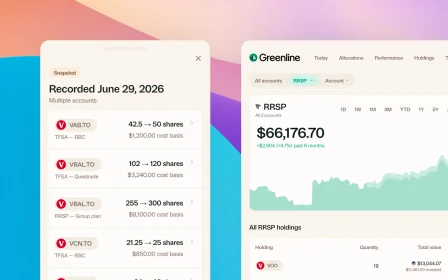
For a lot of Canadians, the biggest pile of money they own is a group RRSP through work, or an older account full of bank mutual funds. It’s also the pile that almost never shows up in a portfolio tracker. So people end up with a careful view of their self-directed TFSA and no view at all of the account that actually holds the most.
Greenline tracks mutual funds alongside your stocks and ETFs, so the whole picture is in one place.
How mutual funds work in Greenline
At this time, Greenline supports mutual funds through manual tracking. You add each fund yourself and set the balance, and it holds there until you update it. Most people update their fund values monthly or quarterly, whenever a statement arrives. Stocks and ETFs update on their own.
That’s the honest shape of it, and it’s worth knowing before you start.
What you get for it
This is the part that makes the manual step worth doing. Upload the fund’s Fund Facts document, the two-page summary your provider is required to give you, and Greenline reads what’s actually inside:
- The holdings, so you can see the individual companies your fund owns
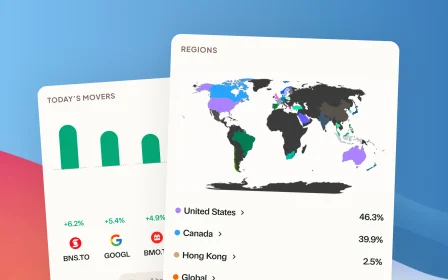
- The sectors and regions it’s exposed to
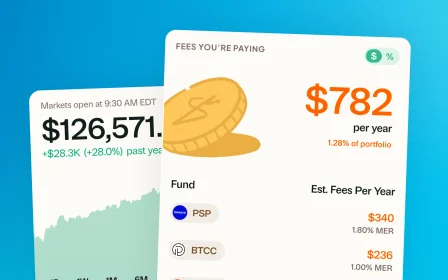
- The MER, folded into your overall fee picture
Your group RRSP stops being a single line called “Balanced Growth Portfolio” and starts counting toward your real allocation, beside everything else you own.
That matters more than it sounds. If three of your funds all hold the same handful of Canadian banks, you’re more concentrated than your statements suggest. You’d never see that looking at account balances one at a time.
Setting one up
- Go to Profile, then Manage Assets, and create your fund.
- Upload the fund’s Fund Facts document so Greenline can fill in the holdings, sectors, and fees.
- Log the units you hold.
- When your statement arrives, update the balance.
Step four is the only recurring one, and most people settle into doing it monthly or quarterly. There’s no need to keep on top of it day to day.
Why it works this way, for now
A lot of people asked to track their funds in Greenline. Holding it back until we could do it automatically would have meant leaving that part of their money out of the picture entirely, so we released it with these limits rather than make anyone wait.
We’re working as fast as we can to improve the experience, with changes landing week after week. You can follow along on the changelog.
If you’d rather skip funds altogether, that’s fine, Greenline works without them. But if you want one place that holds the whole picture, this is how they get in.
Related reading

The multi-account problem

Your portfolio is one thing, not five accounts

What you're actually paying in investment fees
The multi-account problem
TFSA here, RRSP there, spouse's account somewhere else. No single place shows you the whole picture. You're making decisions without seeing the full board.
Your portfolio is one thing, not five accounts
What you're actually paying in investment fees
See your full financial picture in one view.
See your full portfolioFree during Beta. Early Members will be offered better rates than new users when we launch paid plans.